Max comment length: 0/4096

Show Emotes mikuwelcome mikuhappy rinthumbs rinheart lenno lensorry lenthumbs lenshock lukaclap lukasparkle kaitocheer kaitolick meikolol meikojoy meikoangry lukaspin yukarietto
File / Embed / Poll / Tegaki
Drag files here to upload or
click here to select them, or paste an image

Verified — you can post.

Name the character shown in the picture.

Loading image…

(for deletion)
  • Please read the Rules and FAQ before posting.
  • Supported file types are: GIF, JPG, OGG, MP3, MP4, PNG, SWF, WEBM, WEBP.
  • Supported embeds are: YouTube, Nicovideo, Twitter/X, Bluesky, BiliBili, Vocaroo.
  • Maximum file size allowed is 20MB.
  • Images greater than 250x250 pixels will be thumbnailed.

We're aware about all the current bugs. If you find more please post about it on the /meta/ thread.
Expect them to be fixed within the coming days.


[Gallery] [Return] [Catalog] [Bottom]
IMG_2092.jpg - 83.63 KB (500x500) Download SauceNAO IQDB Yandex
I’m new to vocal synth life and decided to start with synthv Teto. She sounds amazing but I have no idea what I’m doing. Can anyone recommend a good resource to help me get started?
>>
>>6501
My advice is start with MIDI files. I use FL Studio to make them but I'm pretty sure free software like Reaper lets you do it too (correct me if wrong)
>>
>>6502

Oh sorry, to be clear I'm already a musician! What I'm looking for is kind of a guide to synthv/teto
>>
>>6503
Not sure what you mean by guide, you use her like any other vocalsynth. Type in the words and she'll sing it.
>>
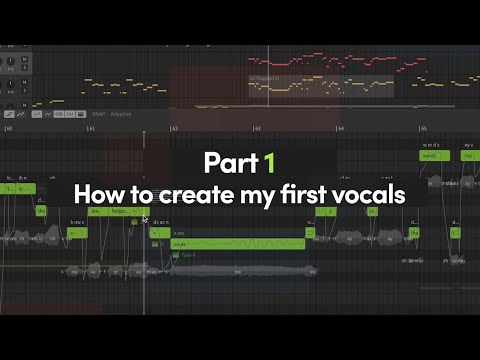
https://youtube.com/watch?v=iTfS2_ZkTgE YouTube
>>6501
Dreamtonic's synthv intro tutorials are a good place to start. The good news is that you've chosen one of the most user friendly English-language synth programs available.
In general I would recommend a workflow like
>Import your .midi vocal melody
>Input lyrics
>Edit phonemes (individual word sounds) and their timings to tweak her accent and put emphasis on the right notes
>Edit pitch as necessary - Teto especially needs help sometimes with her vibrato
>Edit her voice color (power/cute/etc) as necessary
Another trick for Synthv is to use the "br" and "cl" phonemes (breath and glottal stop, respectively) to produce more natural results.
Play around and have fun! Hope you enjoy.
>>
https://youtube.com/watch?v=7T2pPA5ono8 YouTube
You can also look at examples of tuning you like to see what they're doing to achieve certain results. For example, this guy will break up notes using the "-" phone (extends same sound) to change the pitch within a note for more expressiveness. Synthv's algorithm will work with it to blend it together naturally.
For example, at the start of a powerful note you might start it a few semitones down (in key typically) and then bend up to the final pitch. Or you might pitch the very end of the note up a few semitones to make the note feel more energetic.
>>
>>6507
>>6506
Thank you so much, this is exactly what I was hoping for! I’m in awe of the work on Wildcard by KIRA and that level of vocal quality seems impossible from where I am right now. Hopefully this will help!
>>
>>6515
No problem! Please also feel free to share your projects with her, original work posts from musicians are always exciting.
>>
>>6515
Excited to hear what you make in the future
>>
me casually lurking this thread and going to use this info for my own escapades
>>
>>6501
Did you ever make anything OP?

[Gallery] [Return] [Catalog] [Top] There are 11 posts made by people with files.

Delete post: [ File only ]

Quick Reply
0/4096
Drop files here, click to select, or paste

Verified — you can post.

Name the character shown in the picture.

Loading image…